CPU Cache Hierarchy Simplified for Everyone
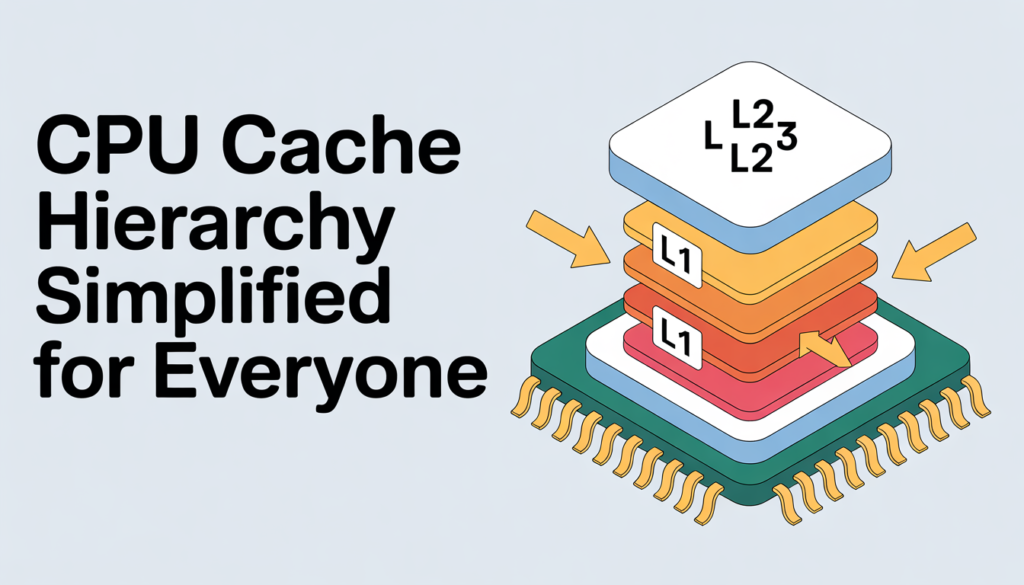
I used to think my computer was just one big brain that did everything at once. I bought the fastest processor I could find, but things still felt slow sometimes. I started digging into how computers actually “think,” and I found a hidden world called the “CPU cache.” It’s like a set of shelves right next to the brain. Understanding how these shelves work changed how I look at my laptop forever. Here is my simple guide to the CPU cache hierarchy.
The Day I Realized My Computer Was “Lazy”:
I remember sitting at my desk, trying to open a large video file while I had fifty tabs open in my browser. My computer started to make a loud fan noise, and the screen froze for a second. I was frustrated. I had spent a lot of money on this machine! I thought to myself, “Why is the brain of this computer taking so long to do a simple task?”
I called my friend who builds computers for a living. He told me, “Your CPU isn’t lazy. It’s just waiting for the mail to arrive.”
He explained that the CPU (the brain) is incredibly fast, but the place where it stores all the information (the RAM and the Hard Drive) is actually quite slow. It’s like a world-class chef who can chop vegetables in three seconds, but he has to wait twenty minutes for the delivery truck to bring him an onion.
That is why we have “Cache.” The cache is the little pile of onions sitting right on the chef’s cutting board. It’s the secret to why a fast computer feels fast.
How I Finally Understood Cache:
To understand the hierarchy (which is just a fancy word for “the order of things”), I like to imagine a kitchen. This helped me explain it to my younger nephew, and it’s the best way to keep it simple.
The Chef (The CPU):
The Chef is the most important part. He is super fast. He can cook a meal in seconds if he has all the ingredients in his hands.
The Cutting Board (L1 Cache):
This is the space right in front of the chef. It is very small. He can only fit a few things here, like a knife, an onion, and a bit of salt. Because it is right there, he doesn’t have to move his feet to grab anything. This is L1 Cache. It is the fastest, but it is also the smallest.
The Kitchen Counter (L2 Cache):
If the chef needs a bowl or a different knife, he reaches over to the kitchen counter. He might have to take one step, but it’s still very close. This is L2 Cache. It is a bit bigger than the cutting board, but it takes a tiny bit longer to reach.
The Pantry (L3 Cache):
The pantry is in the back of the kitchen. It holds the big bags of flour and the heavy pots. The chef has to walk across the room to get things from here. This is L3 Cache. It is much bigger than the counter, but it is the slowest of the three “kitchen” spots.
The Grocery Store (The RAM):
If the chef doesn’t have what he needs in the kitchen, he has to get in his car and drive to the store. This takes a long time compared to reaching for the counter. This is your RAM (Memory).
The Farm (The Hard Drive):
If the store is out of food, he has to go to the farm and wait for the vegetables to grow. This is your Hard Drive or SSD. It is where everything is kept forever, but it is the slowest place to get data from.
Breaking Down the Levels (L1, L2, and L3):
When I was shopping for my new computer, I kept seeing these terms: L1, L2, and L3. I didn’t know which one was more important. After my “kitchen” lesson, I started to look at the numbers differently.
Level 1 (L1) – The Speed Demon:
L1 cache is built right into the CPU “core” itself. It is so fast that it’s almost impossible for us humans to understand. It works in “nanoseconds.”
I learned that L1 is usually split into two parts. One part holds the instructions (what to do), and the other part holds the data (what to do it to). Because it’s so close to the brain, it is very expensive to make. That’s why computers only have a tiny amount of it, usually just a few “kilobytes.” That’s like a tiny scrap of paper compared to a whole library!
Level 2 (L2) – The Middle Ground:
L2 cache is the next step out. In the old days, L2 was on a separate chip, but now it’s usually integrated into the CPU. It’s bigger than L1. While L1 might hold just a few notes, L2 can hold a whole page of information.
When I’m playing a game, L2 is often where the computer keeps the information about the characters that are right near me. It’s fast enough that I don’t see any “stuttering” on the screen.
Level 3 (L3) – The Shared Warehouse:
L3 is the big one. Most modern CPUs have many “cores” (which are like multiple chefs in one kitchen). L1 and L2 are usually “private” for each chef. But L3 is shared.
Think of it like a big table in the middle of the kitchen that all the chefs can use. If one chef finds a great recipe for sauce, he puts it on the L3 table so the other chefs can grab it without going to the store. This makes the whole “team” of chefs much faster.
Why Bigger Isn’t Always Better:
I used to think that if I bought a CPU with a “Mega” amount of L3 cache, my computer would be like a rocket ship. But there is a trade-off.
The bigger the shelf, the longer it takes to find something on it. If you have a tiny shelf with one box, you can grab it instantly. If you have a mile-long shelf, even if you are fast, you still have to walk to the end to find what you need.
This is why L1 is small. If L1 were huge, it would become slow, and then it wouldn’t be L1 anymore! The engineers spend their whole lives trying to find the “Goldilocks” size, not too big, not too small, but just right for the speed of the brain.
Speed vs. Size Comparison:
| Cache Level | Who Uses It? | Size | Speed | Analogy |
| L1 | One CPU Core | Very Tiny (KB) | Instant | The Cutting Board |
| L2 | One CPU Core | Small (MB) | Very Fast | The Kitchen Counter |
| L3 | All CPU Cores | Large (MB) | Fast | The Shared Pantry |
| RAM | The Whole System | Huge (GB) | Slow | The Grocery Store |
| SSD/HDD | The Whole System | Massive (TB) | Very Slow | The Farm |
The “Cache Hit” vs. “Cache Miss”:
This is the part that really made me understand the “stutter” in my video games. When the CPU needs a piece of information, it looks in L1 first.
- Cache Hit: If the data is in L1, it’s a “hit.” The chef grabs the onion and keeps cooking. Everything is smooth.
- Cache Miss: If the data isn’t in L1, the chef has to look in L2. If it’s not there, he looks in L3. If it’s not there either, it’s a “Total Miss.” He has to go to the RAM (the grocery store).
When a “Total Miss” happens, the CPU actually stops working for a tiny fraction of a second. It just waits. To us, that looks like a tiny lag or a “hiccup” in a video. The goal of a good computer is to have as many “hits” as possible.
How I Noticed Cache in My Real Life:
I decided to experiment. I had an old laptop from five years ago and a brand-new one. Both had the same amount of RAM (16GB). On paper, they looked similar.
But when I tried to edit a photo, the new one was much faster. I looked up the specs. The old laptop had a tiny L3 cache (only 4MB). The new one had a massive L3 cache (32MB).
Even though the “Memory” was the same, the “Shelf Space” in the kitchen was eight times bigger on the new one. The new chef didn’t have to drive to the grocery store nearly as often. This was a “lightbulb” moment for me. It’s not just about how much total memory you have; it’s about how much of that memory is “fast” memory.
Why Gamers Obsess Over L3 Cache:
If you go on any computer forum, you will see people talking about “3D V-Cache” or “X3D” chips. I used to think this was just marketing fluff.
But then I tried playing a flight simulator. These games have to remember thousands of things at once, the trees, the clouds, the buildings, and the buttons in the cockpit.
A standard CPU might run the game at 60 frames per second. But a CPU with a “stacked” (extra-large) L3 cache can run it at 90 frames per second. Why? Because the game can keep all the trees and clouds in the “pantry” (L3) instead of going to the “store” (RAM).
For gamers, L3 cache is like a “cheat code” for smoothness. It doesn’t necessarily make the top speed faster, but it stops the “lows” from being so low. It keeps the ride steady.
How We Got Here:
I was curious if computers always had this. My dad told me that back in the 1980s, CPUs were so slow that they didn’t even need cache! The RAM was fast enough to keep up with the brain.
But as the years went by, the brains (CPUs) got faster and faster and faster. The RAM (the store) got bigger, but it didn’t get that much faster at “driving” the data to the kitchen.
By the 1990s, the “Gap” became a problem. The chefs were standing around with their arms crossed, waiting for the delivery truck. That’s when engineers started adding L1 and L2. It was a “band-aid” to fix the fact that memory couldn’t keep up with the brain. Today, we are at a point where the cache is almost more important than the speed of the CPU itself.
How to Check Your Own Cache:
If you are curious about your “kitchen shelves,” you can actually see them right now.
- On Windows: Press Ctrl + Shift + Esc to open your Task Manager. Click on the “Performance” tab and then click on “CPU.” At the bottom right, you will see a list that says L1, L2, and L3.
- On Mac: Click the Apple icon at the top left, go to “About This Mac,” and then click “System Report.” Under “Hardware,” you will see your cache levels.
When I first looked at mine, I was surprised. My L1 was only 384 KB. That’s tiny! But my L3 was 16 MB. Seeing those numbers made all this theory feel “real.” I could see the actual hardware that was keeping my computer running.
My Advice for Buying a New Computer:
If you are looking for a new computer in 2026, don’t just look at the “GHz” (the speed) or the “RAM” (the storage). Take a second to look at the cache.
- For Office Work/Students: You don’t need a huge cache. A standard CPU with 8MB to 12MB of L3 is plenty for writing papers and watching YouTube.
- For Video Editing/Design: Look for at least 16MB to 24MB. You are moving a lot of “heavy pots” in your kitchen, so you need a big pantry.
- For Gaming: Try to find a chip with 32MB or more. Some special chips even have 96MB! If you want your games to feel like butter, this is where you spend your money.
The “Messy Kitchen” Problem: Cache Coherency:
I asked my friend one more thing: “What happens if two chefs are working and one changes the recipe in the pantry, but the other chef is still using the old recipe on his cutting board?”
He told me this is called “Cache Coherency.” It’s one of the hardest problems in technology. The computer has to have a system of “shouting” across the kitchen.
If Chef A changes the salt amount, he has to “shout” to Chef B: “Hey! Throw away your old salt note, I just updated it!” If the “shouting” isn’t fast enough, the computer crashes. This is why making CPUs with 16 or 32 cores is so difficult. It’s like having 32 chefs in one tiny kitchen trying not to bump into each other.
Why We Can’t Just Use Cache for Everything:
I once asked, “If cache is so fast, why don’t we just make the whole 16GB of RAM out of cache?”
The answer is two things: Money and Heat.
- Money: Cache is made of “SRAM,” which uses six transistors for every “bit” of data. RAM uses only one. This means cache is incredibly expensive. A 16GB stick of “Cache RAM” would cost thousands of dollars!
- Heat: Because cache is so fast and packed so tightly together, it gets very hot. If we had a giant block of it, it would probably melt through the bottom of your laptop.
The hierarchy exists because it is the most efficient way to balance cost, heat, and speed. It’s a compromise that works perfectly.
The Hidden Hero of Your Laptop:
I have a lot more respect for my computer now. I realized that it isn’t just a “box of parts.” It is a beautifully organized system of shelves and speeds.
The next time your computer feels fast, or your game looks smooth, don’t just thank the CPU. Take a moment to thank the L1, L2, and L3 caches. They are the silent workers in the kitchen, making sure the chef always has an onion ready when he needs it.
FAQs:
1. What is the difference between L1 and L1d?
L1 is usually split into L1i (Instructions) and L1d (Data). One tells the chef “what to do,” and the other gives him the “ingredient” to do it with.
2. Can I upgrade my CPU cache?
No. Unlike RAM, which you can often swap out, cache is physically part of the CPU chip. To get more cache, you have to buy a new processor.
3. Why do some phone CPUs have less cache than laptops?
Phones run on batteries, and the cache uses a lot of power. Phone designers use less cache to make sure your battery lasts all day.
4. Is L4 cache a thing?
Sometimes! Some very powerful computers have an L4 cache that sits between the pantry and the grocery store. It’s rare, but it exists for very heavy work.
5. Does cache matter for browsing the web?
A little bit, but not much. Your internet speed is much slower than any part of your computer, so the “wait time” is usually caused by your Wi-Fi, not your cache.
6. What is a “Unified Cache”?
This is when L2 or L3 isn’t split into data and instructions. Most L3 caches are “unified,” meaning any core can store any type of information there.