Cloud Security for Small Businesses | Why & How
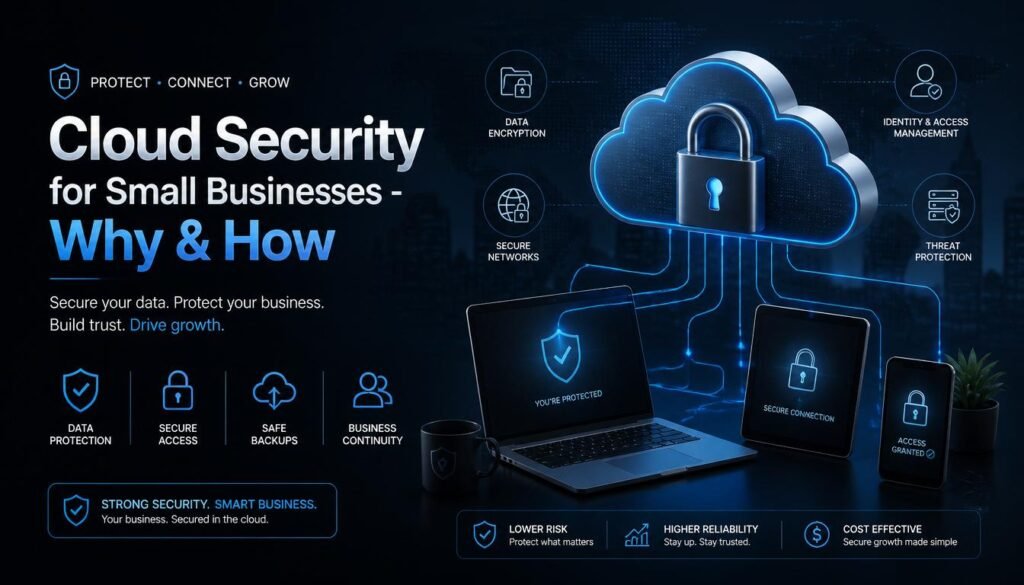
This blog is going to walk you through exactly why small businesses are the preferred prey of modern cybercriminals, what the real threats to your cloud environment look like, and most importantly, the practical steps you can take right now to protect everything you have built, without needing an enterprise security budget or an in-house IT department.
Why Small Businesses Are the Preferred Target:
Let me start with the statistic that should stop every small business owner cold: small and mid-sized businesses accounted for 70.5% of all data breaches in 2025. Not 10%. Not a quarter. Over seventy percent. And 88% of ransomware attacks in 2025 hit small businesses, compared to just 39% at larger organizations.
The reason is not that attackers hate small businesses personally. It is pure economics. Attackers have done the math. Large corporations have dedicated security teams, enterprise-grade threat detection, incident response protocols, and the budget to defend at scale. Small businesses typically have none of that. They have a cloud subscription, maybe an antivirus tool, and an employee who technically handles IT in addition to three other job responsibilities. Attackers know this. They are banking on it.
The shift that has made this dramatically worse in recent years is automation. Attackers are no longer manually selecting targets one by one. They are using automated tools to scan the internet for vulnerable cloud configurations, weak credentials, unpatched software, and misconfigured storage buckets at an industrial scale. A small bakery in Manchester and a consulting firm in Mumbai are as easy to hit as any other business when the attack is being run by a script searching millions of endpoints per day.
The financial consequence is not hypothetical. According to IBM’s Cost of a Data Breach 2025 Report, the global average cost of a data breach is now $4.88 million. For small businesses specifically, the cost of responding to and resolving a security incident ranges from $120,000 to $1.24 million. Fifty percent of SMBs expect to lose customers after a breach. Forty-eight percent expect reputational damage. And a significant percentage of small businesses that experience a major cyberattack simply do not survive it.
This is not a technology problem. This is a business survival problem.
Understanding the Cloud Security Landscape for Small Businesses:
Before we get into solutions, let us understand exactly what we are protecting and where the real vulnerabilities live. Most small businesses today run on cloud infrastructure, whether they consciously chose it or not. Google Workspace, Microsoft 365, Dropbox, QuickBooks Online, Shopify, Slack, and hundreds of other tools that small businesses use daily are all cloud-based. Your data is out there, distributed across multiple platforms, accessed by multiple employees from multiple devices and locations. That is both the strength of modern cloud tools and their core security challenge.
The Shared Responsibility Model:
Here is the misunderstanding that gets more small businesses into trouble than almost any other single factor. When you use a cloud service, the cloud provider is responsible for securing the infrastructure: the physical data centers, the servers, the network, and the virtualization layer. But you are responsible for everything built on top of that infrastructure: your data, your user accounts, your access configurations, your application settings, and your security policies.
This is called the shared responsibility model, and every small business owner must understand it clearly. AWS, Google Cloud, and Microsoft Azure do not secure your data for you. They secure the platform. The cloud provider assumes responsibility for securing the physical infrastructure, all networks, and the virtualization layers. However, all business data, configurations, and access controls must be secured by the business itself.
What does this mean in practice? If your employee uses a weak password and an attacker logs into your Google Workspace, that is not Google’s security failure. If you accidentally configure an S3 storage bucket to be publicly accessible, that is not Amazon’s security failure. The provider held up their end. The gap was on your side. Most small business cloud breaches happen in exactly this gap.
The Biggest Cloud Security Threats Facing Small Businesses Right Now:
Understanding the threat landscape is step one of defending against it. Here are the attacks hitting small businesses in cloud environments right now.
Phishing and Credential Theft:
Phishing remains the most common and most effective entry point for attackers targeting small businesses. The FBI’s Internet Crime Complaint Center recorded $2.77 billion in business email compromise losses in 2024 alone. These attacks work by tricking an employee into clicking a convincing fake link and entering their login credentials on a spoofed website. The attacker now has real credentials to your cloud accounts and can walk right in through the front door.
What makes this especially dangerous for cloud-dependent small businesses is the blast radius. If an employee’s Microsoft 365 credentials are stolen, the attacker potentially has access to email, SharePoint, OneDrive, Teams, and any other connected application in your stack. Modern phishing attacks in 2026 are AI-generated, meaning they are far more grammatically polished, contextually convincing, and personalized than the obvious scam emails of previous years.
Cloud Misconfiguration:
Misconfigured cloud environments have become one of the leading causes of data exposure. Attackers specifically search for and exploit weak access controls, unsecured storage buckets, overly permissive user roles, and improperly secured APIs. About 45% of security incidents are reported to have originated from cloud environments, and misconfiguration is consistently cited among the top root causes.
The challenge for small businesses is that cloud platforms offer enormous flexibility in configuration, which means enormous room for error. A storage bucket accidentally set to public, a user account granted administrator permissions when it only needs read access, a legacy API endpoint left open after a system change: each of these is a door that an automated scanning tool will find and an attacker will walk through.
Ransomware:
Ransomware targeting small businesses has become a highly industrialized operation. Attackers encrypt your business data, making it completely inaccessible, then demand payment in cryptocurrency to provide the decryption key. In 2025, 51% of small businesses that fell victim to ransomware paid the ransom, with 24% paying out of pocket. Fifty-one percent is not a recovery plan. It is a crisis response.
Ransomware attacks increasingly target cloud-synced data. If your business files are synced to OneDrive or Google Drive and ransomware executes on one of your employee devices, the encryption can propagate to your cloud storage before your team even realizes what is happening. An infected device that syncs encrypted files to the cloud effectively backs up the attack itself.
Weak or Stolen Credentials:
In the latter half of 2025, weak or absent credential controls accounted for 27.2% of observed initial access vectors in cloud breaches. Reused passwords, shared login credentials between employees, accounts without multi-factor authentication, and orphaned accounts belonging to former employees who were never properly offboarded: each of these is a vulnerability that requires no sophisticated attack to exploit.
One-third of small businesses with fewer than 50 employees rely on free, consumer-grade security software, which provides essentially no protection against credential-based attacks at the account level.
Third-Party and Vendor Risk:
Your cloud security is only as strong as the weakest link in your vendor chain. According to Verizon’s 2025 Data Breach Investigations Report, third-party involvement in breaches doubled in a single year, climbing from 15% to 30% of all analyzed breaches. If your payroll provider, accounting platform, or CRM vendor suffers a breach, your employees’ and customers’ data may be exposed through no direct fault of your own.
Small businesses rely heavily on cloud accounting tools, managed platforms, and industry-specific software. A breach at one provider can cascade quickly through your entire operations. This is a risk that cannot be entirely eliminated but can be significantly reduced through careful vendor selection and contract review.
How to Protect Your Small Business in the Cloud:
Now that the threat picture is clear, let us build your defense. None of what follows requires a full-time security team or an enterprise budget. These are practical, achievable measures that every small business can implement, and the combination of them dramatically reduces your attack surface.
Step 1: Enable Multi-Factor Authentication Everywhere, Today:
If there is one action you take away from this entire blog, make it this one. Multi-factor authentication (MFA) requires users to provide two or more verification factors to access accounts, typically a password plus a code sent to a phone or generated by an authenticator app. Even if an attacker steals a password, they cannot log in without the second factor.
Microsoft’s own data shows that enabling MFA prevents 99.2% of automated credential-based attacks. That is not a marginal improvement. That is a near-complete elimination of one of the most common attack vectors against small business cloud accounts.
Enable MFA on every cloud account your business uses: email, file storage, accounting software, project management tools, payment processors, and any other platform that stores sensitive data or has financial access. It takes minutes to set up and costs nothing on most platforms. The absence of MFA on a business account in 2026 is not just an oversight. It is an open invitation.
Step 2: Implement the Principle of Least Privilege Access:
Every person in your business should have access only to the cloud resources and data they need to do their specific job, and nothing more. This is called the principle of least privilege, and it is one of the most effective ways to limit the damage an attacker can do if they do compromise one account.
An attacker who gains access to a junior employee’s account should not be able to access your financial records, your entire customer database, or your system administration settings. User accounts should be configured with the minimum permissions necessary for that person’s role. Administrator accounts should exist separately from everyday working accounts, and administrative access should require additional authentication.
Audit your user accounts regularly. Remove access immediately when employees leave the company. Orphaned accounts belonging to former staff are a surprisingly common attack vector that takes five minutes to close permanently.
Step 3: Encrypt Your Data, Both at Rest and in Transit:
Data encryption converts readable information into scrambled data that can only be accessed by someone with the correct decryption key. Even if an attacker manages to access your cloud storage or intercept your data in transit, encrypted data is useless to them without the key.
Encryption at rest protects data stored on cloud servers. Encryption in transit, implemented through TLS (Transport Layer Security), protects data as it travels between your devices and cloud services. Both forms of encryption should be active in your environment at all times.
Most major cloud platforms encrypt data at rest by default, but it is worth verifying this is enabled and understanding what your provider covers versus what falls under your responsibility. For the most sensitive data, such as customer payment information or employee personal records, consider end-to-end encryption where only your business holds the decryption keys.
Step 4: Back Up Your Data Following the 3-2-1 Rule:
Backups are your last line of defense against ransomware and accidental data loss. But not all backup strategies are equal, and a common mistake small businesses make is assuming their cloud provider handles backup comprehensively. It does not, at least not in the way most businesses assume.
The 3-2-1 backup rule is the gold standard: maintain three copies of your data, stored on two different types of media, with one copy kept offsite. In practice for a small business, this means your working data in your primary cloud environment, a second copy in a separate cloud backup service or an external hard drive, and a third copy in a physically separate location.
Critically, at least one backup should be offline and not connected to your primary cloud environment. If ransomware propagates through your cloud sync, an offline backup is the copy that survives. Test your recovery process regularly. A backup you have never successfully restored from is not a backup. It is a false sense of security.
Step 5: Train Your Employees Because Humans Are the Weakest Link:
Technology protects systems. Training protects people. And people are how most cloud security incidents begin. Research shows that 68% of SMB phishing breaches start with a single untrained employee. One click on a convincing fake email. One password entered on a spoofed login page. One accidental misconfiguration of a shared folder. These are human errors, and they are preventable with education.
Employees receiving consistent simulation-based security training are seven times less likely to fall for a phishing attack. Yet only 9% of small businesses train their employees quarterly on security awareness. The disconnect between how effective training is and how rarely it is delivered is one of the most frustrating gaps in small business cybersecurity.
Security awareness training does not need to be expensive or time-consuming. Platforms providing simulated phishing exercises, short video modules, and regular security updates typically cost between $5 and $15 per employee per month. Run quarterly phishing simulations. Brief your team on new scam formats as they emerge. Make security a normal part of your company culture rather than a topic that only comes up after an incident.
Step 6: Adopt a Zero Trust Security Mindset:
Zero trust is a security philosophy built on one principle: never trust, always verify. Instead of assuming that anyone already inside your network can be trusted, zero trust requires every user, every device, and every application to verify their identity before accessing any resource, every single time, regardless of where they are.
For small businesses, adopting zero trust practically means requiring MFA for every access attempt, segmenting your network so that a compromise in one area does not automatically give access to everything else, enforcing least privilege access consistently, and treating every access request as potentially suspicious until it proves otherwise.
Zero trust is not a single product you buy. It is a design philosophy you build into how your cloud environment is configured. The good news is that most modern cloud platforms have built-in tools that support zero trust principles. Enabling them is a configuration decision, not a major technical project.
Step 7: Keep Everything Patched and Updated:
Unpatched software is one of the most avoidable vulnerabilities in any business’s security posture. Security patches exist because vulnerabilities have been discovered. Leaving software unpatched after a patch is available is the equivalent of locking your front door but leaving the window open with a sign explaining which window it is.
Enable automatic updates wherever possible for all cloud-connected applications, operating systems, browsers, and plugins. Establish a policy that requires devices used to access your business cloud accounts to be running current software versions. Pay particular attention to your most business-critical platforms: your email system, your file storage, your accounting software, and any customer-facing applications.
Step 8: Develop a Basic Incident Response Plan:
Most small businesses have no plan for what to do when a security incident occurs. They figure they will deal with it if it happens. The problem is that the first hours after discovering a breach are exactly when clear thinking and fast action matter most, and they are also the hours when the stress of discovering you have been attacked makes clear thinking hardest.
A basic incident response plan does not need to be a 50-page document. It needs to answer four questions for every person on your team: Who do you call first? What do you shut down immediately? What do you document? Who notifies affected customers or regulators?
Identify a point person for security incidents. Know your cloud provider’s incident reporting process. Know your legal notification obligations, which vary by country and industry but often require notifying affected customers within specific timeframes. Have your backup recovery process written down and accessible even when your primary systems are down.
Step 9: Get Cyber Insurance:
Only 17% of US small businesses carry cyber insurance, despite the fact that a single significant breach can cost well over $100,000. This is one of the most significant unaddressed risks in the small business community.
Cyber insurance covers costs including incident response, legal fees, customer notification, regulatory fines, and business interruption losses following a cyberattack. The market for this coverage has matured significantly, with policies now available at relatively accessible price points for small businesses. Having insurance does not reduce the likelihood of an attack. But it can be the financial difference between a business that survives a breach and one that does not.
Choosing the Right Cloud Security Tools for a Small Business Budget:
You do not need an enterprise security stack to protect a small business in the cloud. Here are the foundational tools that deliver the most protection per dollar for smaller operations.
A password manager like Bitwarden or 1Password eliminates the weak and reused passwords that account for a massive share of credential breaches. At a few dollars per user per month, it is one of the highest-value security investments available. An authenticator app like Microsoft Authenticator or Google Authenticator provides MFA at zero cost. A Cloud Security Posture Management (CSPM) tool scans your cloud configurations for misconfigurations and compliance gaps automatically, which is particularly valuable for businesses without dedicated IT staff. Endpoint detection and response (EDR) software on every device that accesses your cloud accounts adds a layer of behavioral threat detection that catches attacks traditional antivirus tools miss. A managed security service provider (MSSP) is worth considering for businesses that genuinely cannot handle security internally. These providers deliver 24/7 monitoring, incident response expertise, and compliance support at a fraction of the cost of hiring an in-house security team.
The Legal Layer of Cloud Security:
Depending on your industry and location, cloud security is not just a best practice. It is a legal obligation. GDPR fines for non-compliance can reach 4% of an organization’s global annual revenue. HIPAA in the United States imposes strict requirements on any business handling protected health information. PCI DSS governs how businesses process and store payment card data. The EU AI Act, which becomes fully enforceable in August 2026, introduces additional requirements for organizations using AI systems.
Compliance is not a separate track from security. The best practices described in this blog, MFA, encryption, least privilege access, audit logging, and vendor risk management, are the same measures that satisfy most regulatory frameworks. Build your security posture on these foundations, and your compliance posture builds itself alongside it.
Conclusion:
Cloud security for small businesses is not optional. It is not a technology problem for IT people to solve. It is a business continuity issue that every owner, manager, and employee has a stake in. The attackers are automated, persistent, and specifically motivated to target smaller organizations precisely because smaller organizations tend to underinvest in defense.
The good news is that the gap between “vulnerable” and “resilient” for a small business is not as wide as it feels. Enabling multi-factor authentication, training your employees, encrypting your data, backing up correctly, implementing zero trust principles, and getting cyber insurance covers the majority of your real-world risk at a fraction of what a breach would cost.
My friend with the e-commerce business could have spent a few hundred dollars a year on the practices described in this blog. Instead, she spent her savings, her customer base, and ultimately her business dealing with the consequences of ignoring them. Do not wait for your version of that Tuesday morning. Start with step one today.
FAQs:
Q1: Why are small businesses targeted more than large companies in cloud attacks?
A: Attackers use automation to exploit small businesses at scale because SMBs typically have fewer security controls, no dedicated IT staff, and lower defenses than large enterprises.
Q2: What is the shared responsibility model in cloud security?
A: It means your cloud provider secures the infrastructure while your business is responsible for securing your data, user accounts, access configurations, and application settings.
Q3: What is the single most impactful cloud security step for a small business?
A: Enabling multi-factor authentication on all cloud accounts, since it blocks 99.2% of automated credential-based attacks according to Microsoft’s data.
Q4: How much does a data breach typically cost a small business?
A: Small businesses can expect to pay between $120,000 and $1.24 million to respond to and resolve a security incident in 2025, not counting customer and reputational losses.
Q5: What is the 3-2-1 backup rule?
A: It means keeping three copies of your data on two different types of media, with one copy stored offsite, ensuring you have a clean recovery option even after a ransomware attack.
Q6: Do small businesses really need cyber insurance?
A: Yes. With only 17% of US small businesses currently covered and breach costs running into hundreds of thousands of dollars, cyber insurance is one of the most underutilized financial protections available to small businesses.